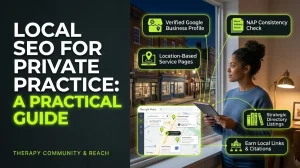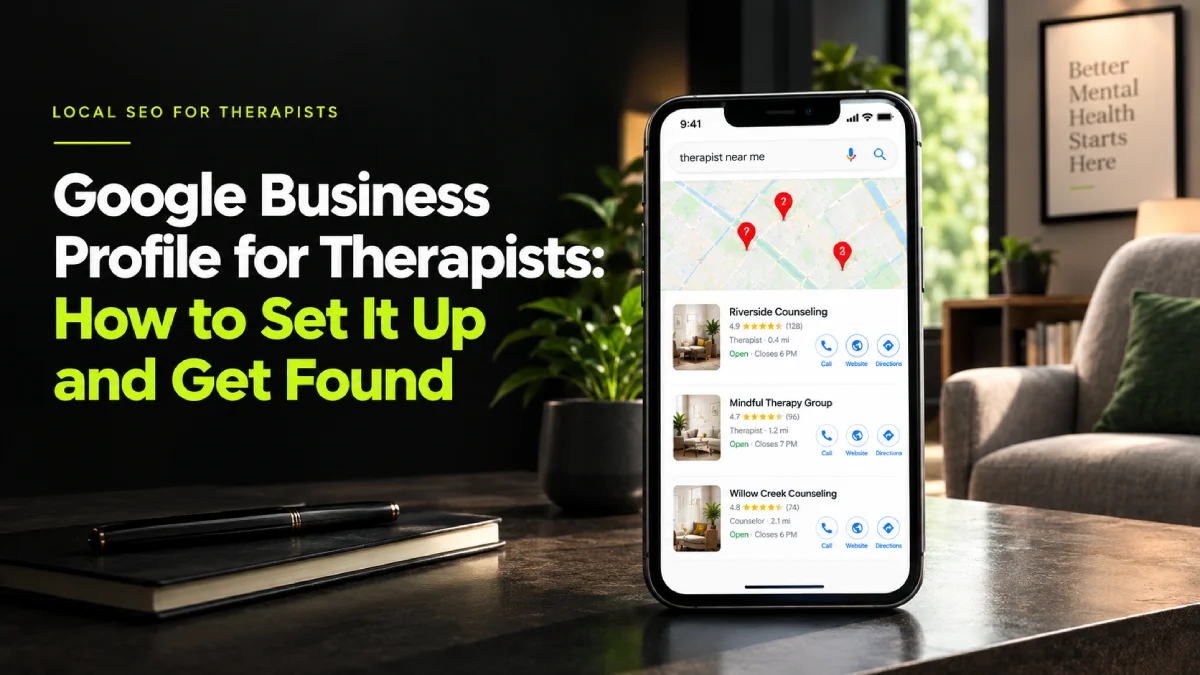
A Google Business Profile for therapists is the free listing that puts your practice on Google Maps and in the small map box at the top of local searches. For most therapists it’s the quickest way to start getting found by people nearby. Setting one up takes about an hour. Getting it right takes a bit more care, because a few of the normal business rules don’t fit therapy. This guide walks through all of it, including the parts most guides skip.
The three pins at the top of the page
Picture someone sitting in their car after a hard day at work. They’ve been putting this off for months. Tonight they finally open their phone and type therapist near me.
The first thing they see is a map with three pins on it, and three names underneath.
That box is called the map pack. On a phone it fills most of the screen. A lot of people never scroll past it. They tap one of the three names, look at the photos, read a line or two, and either call or move on.
If your practice isn’t in that box, you’re below the fold for most of the people searching in your area. And the thing that decides who gets those three spots is mostly your Google Business Profile.
This is why we tell almost every therapist we work with to start here. It’s free. It works alongside your website. And it often moves faster than anything else you can do. (If you’re working on getting clients from places other than directories, this is step one in our guide on how to get therapy clients without Psychology Today.)
Before you start: can you have one?
This catches out more therapists than you’d think. Google only gives profiles to businesses that meet clients in person, or travel to them. So it depends on how you work.
You see clients in an office. Yes. You can show your full address.
You see clients in a home office. Yes. You can show the address, or hide it and show a general area instead if you’d rather people didn’t see your street.
You rent a room by the hour or share a practice. Usually yes, as long as clients really come to you there during the hours you list. Virtual office addresses and PO boxes aren’t allowed.
You work fully online, with no place clients can visit. This is the grey area. Google’s rules say online-only businesses aren’t eligible. Some telehealth therapists have profiles anyway and some get suspended. Check Google’s current guidelines before you set one up, because the risk is losing the profile and the reviews on it.
You’re in a group practice. The practice can have a profile, and in many cases individual practitioners who see the public can have their own too. Talk to the practice owner first so you aren’t competing with your own clinic.
How to set up a Google Business Profile for therapists
1. Check whether a profile already exists
Search your name and your practice name on Google Maps before you create anything. Google sometimes builds a basic profile on its own from directory data. Or there may be an old one from a previous practice. If one exists, claim it instead of making a second. Duplicates confuse Google and split your reviews.
To claim or create a profile, go to google.com/business and sign in with a Google account you’ll keep for years. Use your practice email if you have one.
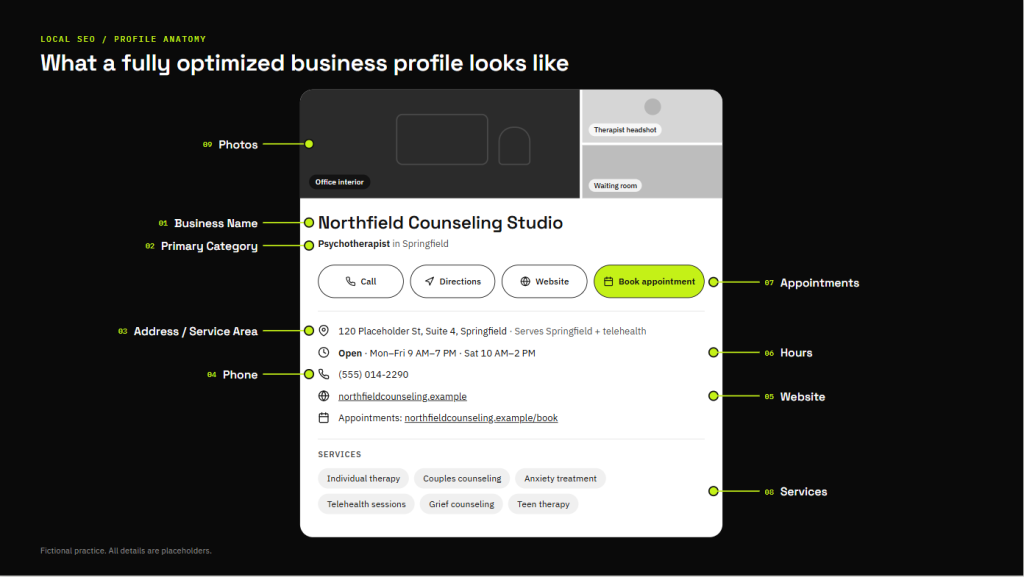
2. Use your real business name
Your profile name should match the name on your sign, your website and your paperwork. Nothing more.
This is the rule people break most. It’s tempting to write Sarah Jones Anxiety and Trauma Therapist Chicago. It might even help for a few weeks. Then someone reports it, or Google spots it, and the profile gets suspended. Use Sarah Jones, LCSW or Sarah Jones Counselling and let the rest of the profile do the work.
3. Pick your primary category carefully
Your primary category is the single biggest signal for which searches you show up in. Choose the one that’s closest to what you actually do. Common ones for therapy practices include Psychotherapist, Psychologist, Counselor and Marriage counselor. Search the list as you type and you’ll see what’s available in your country.
Then add a few secondary categories if they’re true. Don’t add ten. Three or four honest ones is better than a long list Google has to guess at.
4. Set your address or service area
Add your address if clients visit you. If you work from home and want privacy, hide the address and set a service area instead, using the towns or postcodes (zip codes in the US) where most of your clients live. Keep the area realistic. Listing your whole state or the whole of Greater London doesn’t help you rank further away. It just makes the profile less specific.
5. Add your phone number and website
Use the same phone number that’s on your website. Same format too. Then link to your website, ideally your homepage or the page for that location if you have more than one office.
If you also have an online booking page, add it in the appointment link field. Every tap you save someone matters.
6. Set real hours
Put the hours you actually see clients. If you work by appointment only, you can still list the hours you’re usually available and say in your description that sessions are by appointment. Don’t list 24 hours to look accessible. People will call at 9pm expecting an answer.
7. Write a description for the person reading it
You get 750 characters. Use them to tell someone who you help, how and where. Write it the way you’d describe your work to a friend’s friend at a dinner.
Here’s an example for a made-up practice:
I’m a licensed counsellor in Leeds helping adults with anxiety, burnout and low mood. A lot of the people I see are high achievers who look fine on the outside and feel exhausted underneath. I offer sessions in person near Headingley and online across the UK. The first call is free and lasts 15 minutes. You can book it straight from my website.
Notice what’s missing. No list of ten modalities. No “safe space”. No phone number or links in the description (Google doesn’t allow them there anyway). If you’ve already written your About page, a shortened version of your opening works well here. Our guide on how to write a therapist bio has a short-version template that fits.
8. Add your services
Add each thing you help with as its own service: Anxiety therapy, Couples counselling, EMDR, Grief support and so on. Give each one a sentence or two. This helps Google match you to more specific searches, and it gives people a quick sense of what you do before they click.
9. Upload real photos
Add a photo of you that looks like you on a good day. Then the room clients will sit in, the building from outside, and the entrance. That last one sounds odd but it’s useful. Someone anxious about a first session wants to know which door to walk through.
Skip stock photos. Never include photos where clients could be recognised.
10. Fill in the attributes
Depending on your country, Google offers attributes like Online appointments, Wheelchair accessible entrance or LGBTQ+ friendly. Tick the ones that are true. Some people filter by them, and they’re one more small sign your profile is complete.
11. Verify it
Google needs to confirm you’re real before the profile goes fully live. These days that’s often a short video showing your sign, your office or your business documents. Sometimes it’s a postcard or a phone call. Follow whatever it asks for and give it a few days.
Reviews: the part that’s different for therapists
For most local businesses, the advice on reviews is simple. Ask every happy customer for one. For therapists it isn’t that simple, and you should know why before you do anything.
Asking clients for reviews. Most professional codes are cautious about this. In the US, the APA’s ethics code says psychologists shouldn’t ask current therapy clients for testimonials, and counselling bodies have similar guidance. In the UK, the BACP’s framework asks you to think hard about anything that could put pressure on a client or blur the relationship. A lot of therapists decide not to ask for reviews at all. That’s a reasonable choice. Check the code you’re registered under before you decide.
Replying to reviews. This is where the real risk is. Never confirm that someone was your client, even to say thank you. A reply like “Thank you so much, it was lovely working with you on your anxiety” tells the world that person was in therapy. In the US that can be a HIPAA problem. In the UK it’s a confidentiality and data protection problem. Everywhere it’s an ethics problem.
A safe reply to a positive review looks like this:
Thank you for taking the time to leave a review. Reviews help other people decide whether to reach out, and that matters.
A safe reply to a negative one looks like this:
Thank you for your feedback. To protect everyone’s privacy, I can’t discuss anything about any individual here. If you’d like to talk, please contact my office directly.
That’s it. No details, no defending yourself, no correcting their version of events. It feels unfair sometimes. It’s still the right call. (This is general guidance and not legal advice. If a review worries you, talk to your licensing board or professional body.)
The good news. Reviews help, but a profile with few or no reviews can still rank well. Google also looks at how relevant you are to the search, how close you are to the person searching, and how complete your profile is. You can control two of those three completely.
Keeping the profile alive
A profile you set up once and forget slowly drifts down. Small, regular updates tell Google someone is home.
- Post an update once a week or once a month. A short note about a new group, a blog post you’ve written, or availability for new clients is enough.
- Add a new photo every few months.
- Update your hours for holidays and time off.
- Check it monthly for edits other people have suggested. Anyone can suggest changes to a profile, and Google sometimes accepts them without asking you.
How it connects to your website
Your Google Business Profile and your website work as a pair. The profile gets someone’s attention in the map. Your website is where they decide.
Google also cross-checks the two. Your practice name, address and phone number should be written the same way on your profile, your website footer and every directory you’re listed in. That includes Psychology Today and GoodTherapy in the US, and Counselling Directory or your BACP or UKCP register entry in the UK. Small differences like Street on one and St on another are fine. A different phone number on half of them isn’t.
Google also reads the pages your profile links to. If your website clearly says what you treat and where, your profile gets stronger. If your website just says Services and lists nine things, it doesn’t help much. Our SEO for therapists guide covers how to set up those pages, and our therapist website copywriting guide covers what to write on them.
How long until you show up?
Changes to your profile usually appear within a few days. Showing up for more searches takes longer. In a quieter town, a complete profile can start appearing in the map pack within a few weeks. In a busy city, it can take a few months and you’ll need your website and reviews pulling their weight too.
Anyone who promises you the top spot by next week is guessing.
Common mistakes with a Google Business Profile for therapists
- Keywords stuffed into the business name
- A different phone number on the profile and the website
- Choosing Mental health clinic as the primary category when you’re a solo therapist
- No photos, or only a logo
- A description copied from a directory profile and written in the third person
- Replying to reviews in a way that confirms someone was a client
- Setting it up once in 2021 and never logging in again
If you’d rather not handle this yourself, Google Business Profile setup and monthly posting are part of our SEO services for therapists. Or book a free 30-minute call and I’ll look at your profile with you and tell you what I’d change first. If your profile already looks fine, I’ll tell you that too.
And if you’re still relying mostly on a directory for new clients, our comparison of Psychology Today vs your own website is worth a read next.
Frequently asked questions
Is a Google Business Profile free for therapists?
Yes. Creating and running a Google Business Profile costs nothing. Google may offer paid ads on top, but you don’t need them for the profile to show up in local map results. The only cost is your time, roughly an hour to set it up properly and a few minutes a month after that.
Can I hide my home address on my Google Business Profile?
es. If you work from home, you can hide your street address and show a service area instead, such as the towns or postcodes where most clients live. People will see the general area on the map but not your house. You can still rank in local results with a hidden address.
Can an online-only therapist have a Google Business Profile?
It’s a grey area. Google’s guidelines say businesses must meet clients in person or travel to them, and online-only businesses aren’t eligible. Some telehealth therapists have profiles anyway, and some get suspended. Check Google’s current rules first, because a suspension can wipe out your profile and its reviews.
Should therapists ask clients for Google reviews?
Be careful. Many professional codes, including the APA’s in the US, say not to ask current clients for testimonials, and the BACP in the UK asks you to avoid anything that pressures clients. Many therapists don’t ask at all. Check your own code of ethics before deciding.
How do I reply to a Google review without breaking confidentiality?
Never confirm the person was your client. Thank them for the review in general terms, or for a negative review, say you can’t discuss individuals and invite them to contact your office privately. Don’t mention any details about sessions, timing or what they were seen for.